101 camera moves. 45 free
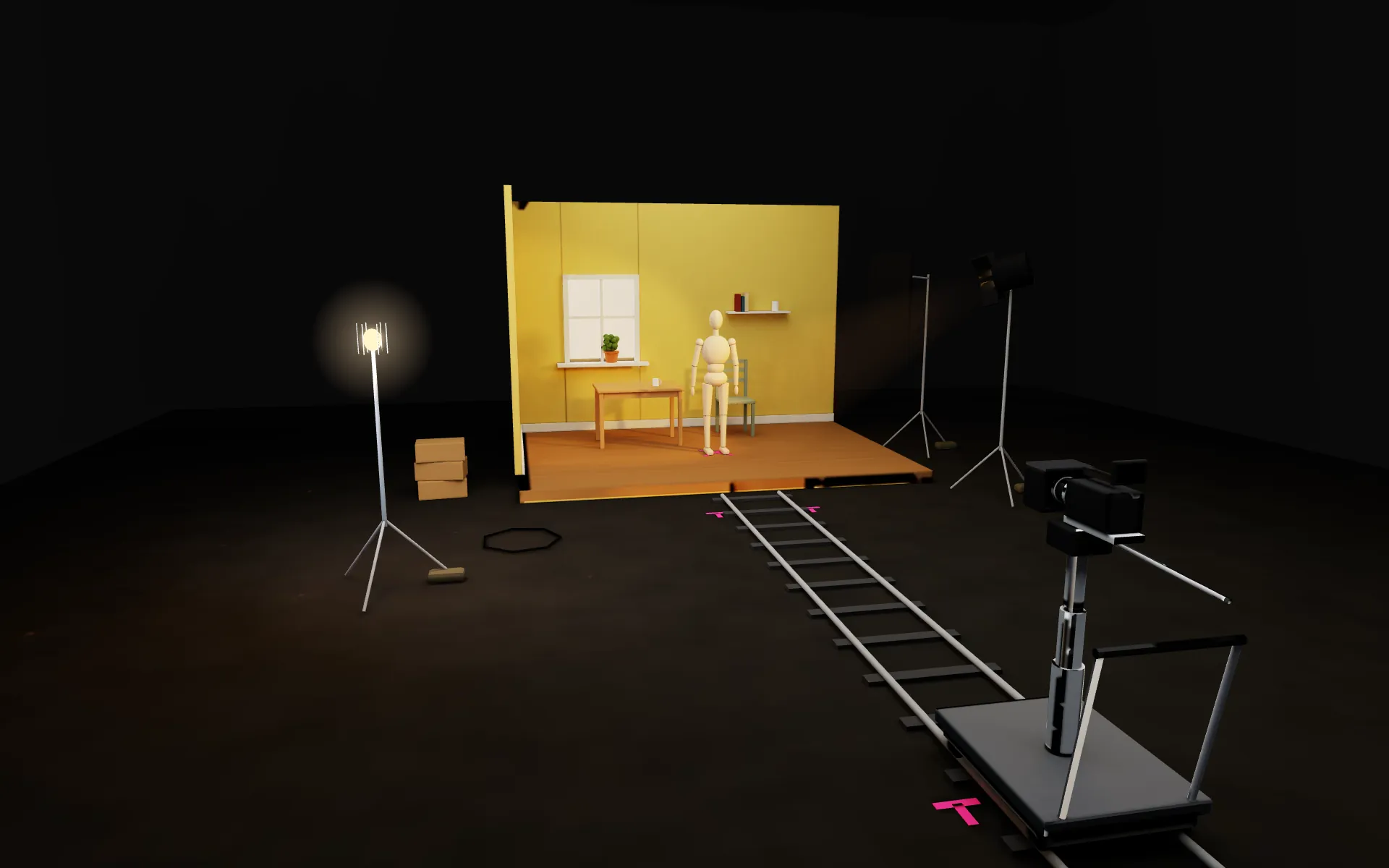
Every move named, with the words that ask for it, performed on this set by the page's own camera.
45 free moves. All 101 for $9, once.
Scroll to push the dolly See all 101 movesThat was a dolly in. Move 003.
003 · DOLLY IN
- Dist
- 7.2 m
- Height
- 1.5 m
- Lens
- 35 mm
- Roll
- 0°
- Edit
- none
camera physically forward toward the subject.
Free in post
12 of these you should never pay a model for.
They are edits. On the set above, the rig stays parked while the picture moves: a keyframe in CapCut, Premiere or DaVinci does the move, and the full 101 carries the ffmpeg for each.
- 017 · free in post
Quick jolt
A brief shake on the beat drop
- 043 · free in post
Glitch shake
Light shake mimicking a digital glitch
- 061 · free in post
Horizon lock roll
Camera rotates while the horizon stays level
- 077 · free in post
Ghostly drag
Slow shutter motion trails
- 078 · free in post
In-camera warp zoom
Jerk back at the end as a transition stretch
- 079 · free in post
Ken Burns drift
Slight digital scale-up on a static shot
- 080 · free in post
Speed ramp push
Slow in, fast middle, slow out
- 081 · free in post
Hyperlapse orbit
Stepped stills stitched into a fast orbit
- 082 · free in post
Digital jitter
Artificial micro-shake
- 083 · free in post
Fake dolly zoom
Digital zoom against a physical pull
- 084 · free in post
Fake whip pan
Two shots, each slid sideways, joined inside one blur
- 085 · free in post
Targeted anchor crop
Digital zoom tracking a point
All 101, with the words.
52 of the 101 moves play their own video so far. Updated every week: 15 more moves get their video each week until all 101 have one.
All 101 moves
- Real footage · WeStarMoney Rec / Pexels
Pan
Swivel left/right on a fixed spot.
Pan. Movement: the camera holds one position on the ground and rotates on its vertical axis, sweeping the frame left or right across the scene; every object keeps its own place in the world and none of them travel toward the lens. Speed: even rate, about 30 degrees of rotation across 4 seconds, with no change of pace at either end. Framing: the horizon stays parallel to the frame edges and the subject stays inside the frame for the whole sweep. End: settles with the subject on the third opposite the direction of travel and open space ahead of it.- You need
- Import
- Frame
- Keyframe
- Keyframe
- Result
What you need
The CapCut desktop editor and a clip or photo much WIDER than the frame you deliver: a 16:9 clip, 4K if you can, for a 9:16 video. The pan can only travel across that spare width; a clip already the shape of your output has none.
Import
Click
Import
, pick your clip, then drag it onto the timeline.Set the frame
Click
Ratio
and pick the shape you deliver, for example9:16
. In theBasic
tab raiseScale
until the clip fills the frame top to bottom with no black bars, the spare width hanging off both sides.First keyframe
Put the playhead at the start. Click the diamond beside
Position
and drag the picture so the frame shows the left side of the scene.Second keyframe
Move the playhead to the end. Drag
Position
so the frame shows the right side. CapCut fills in the move between the two.Result
Play it back: the frame swivels across the scene. It is a crop sliding over one flat picture: near and far things move together, with none of the depth a real camera adds. It also stops where the spare width ends. Click
Export
, pick the resolution and format, and save it.More on this move
Use it whenUse to carry the eye across a scene from one vantage point when nothing needs to separate in depth.Watch for. A pan is a rotation, so it produces almost no parallax: measured 1.07:1 near-to-far on a plate whose depth map read as correct. If foreground and background need to separate, truck instead of panning.Measured. A pan is a ROTATION and separates nothing at any depth. Measured 1.07:1 on a plate whose depth map looked correct. Never use a pan when depth is the point. - Real footage · Engin Akyurt / Pexels
Tilt
Nod up/down on a fixed spot.
Tilt. Movement: the camera holds one position and rotates on its horizontal axis, the frame nodding up or down through the scene; objects hold their own positions and the ground line crosses the frame once. Speed: one continuous nod of about 25 degrees over 3 seconds, easing over the last half second. Framing: verticals stay parallel to the frame edges and the subject stays inside the frame for the whole nod. End: settles on whatever the rotation arrives at, that element centred with about a third of the frame above it.- You need
- Import
- Frame
- Keyframe
- Keyframe
- Result
What you need
The CapCut desktop editor and a clip or photo TALLER than the frame you deliver: a vertical clip for a 16:9 video, or for a 9:16 video a 4K clip you scale up so there is spare picture above and below. Scaling a 1080p clip up this way goes soft.
Import
Click
Import
, pick your clip, then drag it onto the timeline.Set the frame
Click
Ratio
and pick the shape you deliver, for example9:16
. In theBasic
tab raiseScale
until there is spare picture above and below the frame and no black bars.First keyframe
Put the playhead at the start. Click the diamond beside
Position
and move the picture so the frame shows the top of the scene.Second keyframe
Move the playhead to the end. Move
Position
so the frame shows the bottom. CapCut fills in the move between the two.Result
Play it back: the frame nods down the scene. It is a crop sliding over one flat picture: near and far things move together, with none of the depth a real camera adds. Click
Export
, pick the resolution and format, and save it.More on this move
Use it whenUse to move between two heights of the same scene, such as ground to face or face to sky.Watch for. Untested on our stack. Like a pan it is a rotation and separates nothing in depth, and on a tall subject the far end of the nod keystones the verticals it was meant to keep straight. - 3D demo, rendered in Blender
Dolly in
Camera physically forward toward the subject.
Dolly in. Movement: the camera travels forward along its own axis toward the subject; the subject keeps its place in the world and grows in the frame because the camera closed the distance, not because it moved at the lens. Speed: steady walking pace, closing about half the starting distance over 5 seconds. Framing: the eyeline stays on the same third of the frame the whole way and the feet leave the frame before the chest does. End: finishes on a chest-up framing with the subject centred.More on this move
Use it whenUse to commit attention to one subject over a beat without cutting.Watch for. Without the causality clause the model flies the object at the lens instead of moving the camera. We measured this on 20 Sep 2026. Keep the words about the camera closing the distance in every version of the prompt.Measured. MEASURED 20 Sep 2026: renders as specified when the prompt carries the CAUSALITY clause -- the subject grows because the lens approached it. Without it the object flies at the lens (rule 32). - 3D demo, rendered in Blender
Dolly out
Camera physically backward away.
Dolly out. Movement: the camera travels backward along its own axis away from the subject; the subject keeps its place in the world and more of the room enters the frame around it as the distance opens. Speed: steady, about 2 metres over 5 seconds, no stop and start. Framing: the subject stays on the same vertical axis of the frame and its head stays legible as it gets smaller. End: finishes wide with the subject about a third of the frame height and both floor and back wall in shot.More on this move
Use it whenUse to give a subject its context, or to close a beat by opening the space around it.Watch for. Untested on our stack. Backing out asks the model for geometry it never committed to, so the walls and floor entering the frame often re-invent themselves mid-move; keep the retreat short or establish the wide first. - Real footage · Tima Miroshnichenko / Pexels
Truck left
Camera parallel left through space.
Truck left. Movement: the camera keeps its facing and slides bodily to the left, parallel to the subject plane; near objects cross the frame faster than far ones and every object holds its own place in the world. Speed: steady sidestep, about 1.5 metres over 4 seconds, one continuous slide. Framing: the subject stays at the same height in the frame and the near edge object stays a defined shape rather than a smear. End: finishes with the subject on the right third and the space the camera moved into filling the left of the frame.More on this move
Use it whenUse when foreground and background must visibly separate, which is the one thing a rotation cannot do.Watch for. This is the move that produces real parallax and the reason to reject a pan: panned client plates measured 1.10-1.23 near-to-far against 4.5-9.1 for generated travel. When briefing a shoot, say walk past the subject rather than stand and turn.Measured. MEASURED 20 Sep 2026 (parallax.py): a TRUCK is what produces real parallax. Our panned client plates measured 1.10-1.23 near:far; generated dollies 4.5-9.1. Shooting note for any client: WALK past the subject, do not stand and pan. - 3D demo, rendered in Blender
Truck right
Camera parallel right.
Truck right. Movement: the camera keeps its facing and slides bodily to the right, parallel to the subject plane; near objects cross the frame faster than far ones and every object holds its own place in the world. Speed: steady sidestep, about 1.5 metres over 4 seconds, one continuous slide. Framing: the subject stays at the same height in the frame and the near edge object stays a defined shape rather than a smear. End: finishes with the subject on the left third and the space the camera moved into filling the right of the frame.More on this move
Use it whenUse as the mirror of truck left when the reveal or the eye trace runs the other way.Watch for. Same measurement as truck left: it separates depth where a pan does not. Pick the direction from what enters the frame, since the trailing edge is where the previous shot's subject appears to exit.Measured. See truck left -- same measurement. - Real footage · Юрій Дудник / Pexels
Pedestal up
Camera straight up, no tilt.
Pedestal up. Movement: the camera rises vertically on its column, the lens keeping the same angle through the whole climb so the frame gains height without nodding; the subject holds its place and is seen from further above as the camera climbs. Speed: rises about 1.2 metres over 4 seconds at an even rate. Framing: verticals stay parallel to the frame edges and the subject stays in the frame through the rise. End: finishes looking across the subject from above eye height, with the ground line lower in the frame than it started.More on this move
Use it whenUse to change the vantage on a subject without changing the angle the lens looks at it.Watch for. Untested on our stack. Models substitute a tilt for a rise, so the frame ends up angled down from the old height instead of level from a new one; say the lens angle is carried unchanged and check the verticals at the last frame. - Real footage · Everett Bumstead / Pexels
Pedestal down
Camera straight down, no tilt.
Pedestal down. Movement: the camera descends vertically on its column, the lens keeping the same angle through the whole drop so the frame loses height without nodding; the subject holds its place and is seen from further below as the camera drops. Speed: descends about 1.2 metres over 4 seconds at an even rate. Framing: verticals stay parallel to the frame edges and the subject stays in the frame through the drop. End: finishes looking across the subject from below eye height, with more of the ground plane across the bottom of the frame.More on this move
Use it whenUse to arrive at a low vantage on a subject or a product without tipping the lens.Watch for. Untested on our stack. The same substitution as pedestal up: the model tilts down from the old height instead of dropping to a new one, and the floor arrives keystoned. - 3D demo, rendered in Blender
Whip pan (flash pan)
Pan so fast the background blurs; an in-camera transition.
Whip pan (flash pan). Movement: the camera rotates on its spot fast enough that the scene smears into horizontal streaks, carrying the frame from one subject to another; the world holds its positions and only the rotation rate makes the blur. Speed: about 90 degrees in under half a second, accelerating out of the opening frames and decelerating into the last three. Framing: the opening subject stays readable for the first three frames and the arriving subject is readable within three frames of the smear clearing. End: finishes on a new composition with the arriving subject centred and no streaking left in the frame.- You need
- Import
- Frame
- Keyframe
- Keyframe
- Blur
- Result
What you need
The CapCut desktop editor and two clips, 4K if you can, each wider than the frame you deliver. The whip is a fast slide of the picture, and it needs spare picture to slide over.
Import both
Click
Import
, pick both clips, then drag them onto the timeline, the second right after the first.Set the frame
Click
Ratio
and pick the shape you deliver, for example9:16
. Then click each clip and in theBasic
tab raiseScale
to about 150 percent, so each one has spare picture past the edges of the frame.Fly out
Click the first clip. Put the playhead about 6 frames before its end and click the diamond beside
Position
. At its last frame, dragPosition
to the left as far as it goes before a black edge shows.Fly in
Click the second clip. At its first frame set
Position
to the right by the same amount and click the diamond. About 6 frames in, bringPosition
back to the middle.Add the blur
Open
Effects
>Video effects
, scroll toLens
and clickMotion blur
. Click the plus icon, or drag it onto the timeline above the frames where the frame flies.Result
Play it back: the frame flicks sideways in a blur and lands on the next shot. A real whip pan turns the lens, so near things streak harder than far ones; here the whole picture streaks the same, so it reads best on clips without a big object close to the lens. Click
Export
, pick the resolution and format, and save it.More on this move
Use it whenUse as an in-camera transition between two setups when a hard cut would read as too clean.Watch for. Untested on our stack. Providers under-deliver the smear and give a fast pan instead, so state the streaking as the visible result rather than asking for speed. If the whip hides a cut, both halves must be generated at the same lens height or the join shows. - 3D demo, rendered in Blender
Whip tilt
Violent up/down whip to reveal a new scene or sky.
The words for this move open with all 101.
- You need
- Import
- Frame
- Keyframe
- Keyframe
- Blur
- Result
What you need
The CapCut desktop editor and two clips, 4K if you can, each with spare picture above and below the frame you deliver. The whip is a fast slide of the picture, and it needs spare picture to slide over.
Import both
Click
Import
, pick both clips, then drag them onto the timeline, the second right after the first.Set the frame
Click
Ratio
and pick the shape you deliver, for example9:16
. Then click each clip and in theBasic
tab raiseScale
to about 150 percent, so each one has spare picture past the edges of the frame.Fly out
Click the first clip. Put the playhead about 6 frames before its end and click the diamond beside
Position
. At its last frame, dragPosition
up as far as it goes before a black edge shows.Fly in
Click the second clip. At its first frame set
Position
down by the same amount and click the diamond. About 6 frames in, bringPosition
back to the middle.Add the blur
Open
Effects
>Video effects
, scroll toLens
and clickMotion blur
. Click the plus icon, or drag it onto the timeline above the frames where the frame flies.Result
Play it back: the frame flicks up in a blur and drops onto the next shot. A real whip tilt turns the lens, so near things streak harder than far ones; here the whole picture streaks the same. Click
Export
, pick the resolution and format, and save it.More on this move
- 3D demo, rendered in Blender
Snap zoom
Instant zoom onto a face for emphasis.
Snap zoom. Movement: the field of view collapses onto the face in one step through the lens, so the framing tightens while the perspective and the distances between objects stay as they were; the subject keeps its place in the world. Speed: from the wide size to the close size in about three frames, and the rest of the beat runs at the close size. Framing: the face stays on the same point of the frame across the step and the eyeline does not jump between the two sizes. End: finishes on a head-and-shoulders framing with the eyes on the upper third.- You need
- Import
- Keyframe
- Keyframe
- Result
What you need
The CapCut desktop editor and one clip SHARPER than the frame you deliver: a 4K clip for a 1080p video. A snap zoom here is an enlargement, and doubling the size of a 1080p clip halves its detail.
Import
Click
Import
, pick your clip, then drag it onto the timeline.First keyframe
Put the playhead where the zoom should start. Click the diamonds beside
Scale
andPosition
.Second keyframe
Move the playhead 3 or 4 frames later. Raise
Scale
to about 200 percent and movePosition
so the face sits in the middle. The short gap is what makes it a snap.Result
Play it back: the frame jumps onto the face. A real snap zoom changes the lens, which flattens the background behind the face; this only enlarges the picture, so nothing in depth changes. Click
Export
, pick the resolution and format, and save it.More on this move
Use it whenUse to land a punctuation mark on a reaction or a line, usually cut to a sound.Watch for. Untested on our stack. Models render a zoom as a push-in, so the perspective shifts and it reads as travel; if the body must not travel, route the beat to seedance 1.x cameraFixed and do the size change as a crop-and-scale locally, which is free and exact. - 3D demo, rendered in Blender
Ping-pong pan
Rapid pan between two talking heads.
The words for this move open with all 101.
- You need
- Import
- Frame
- Keyframe
- Keyframe
- Result
What you need
The CapCut desktop editor and ONE wide 4K shot with both people in it, both lit and in focus. The pan only moves the frame between them; it cannot find a face that is not already in the picture.
Import
Click
Import
, pick your clip, then drag it onto the timeline.Set the frame
Click
Ratio
and pick the shape you deliver, for example9:16
. In theBasic
tab raiseScale
until one person fills the frame.On the first face
Put the playhead at the start. Click the diamond beside
Position
and frame the first person. Move the playhead to just before the switch and click the diamond again, so the frame holds.Snap to the second
Move the playhead 4 to 6 frames later and drag
Position
to frame the second person. Repeat the hold and the snap each time the talk passes back.Result
Play it back: the frame snaps from one speaker to the other. It is a crop sliding over one flat picture: near and far things move together, with none of the depth a real camera adds. Click
Export
, pick the resolution and format, and save it.More on this move
- 3D demo, rendered in Blender
Party pan
Erratic loose handheld matched to music.
Party pan. Movement: the camera is hand-carried and swings loosely left and right off a drifting centre, the body shifting a few inches with each change of direction; the scene holds its own positions while the frame wanders across it. Speed: about two changes of direction a second, 15 to 25 degrees each way, and the amounts deliberately unequal. Framing: the subject stays within the middle half of the frame through the wander and faces stay legible while the frame is moving. End: finishes off axis with the subject about a third in from one edge and the frame line a few degrees off level.More on this move
Use it whenUse for crowd, event and music-led material where the camera is a participant rather than an observer.Watch for. Under-specified handheld defaults to near-stillness, so the count of direction changes and the degrees are the whole instruction. The word erratic on its own buys nothing, and the wander tends to drift the subject out of the frame by the last second. - 3D demo, rendered in Blender
Crash push-in
Running straight at the subject on a gimbal.
Crash push-in. Movement: the camera travels forward at running pace on a carried rig, the subject holding its ground while the distance closes; the frame bobs a little with each step and the subject grows because the camera arrived, not because it moved at the lens. Speed: closes about 4 metres in 1.5 seconds, accelerating through the first third and carrying that rate to the end. Framing: the face stays in the upper middle of the frame through the bob and the horizon stays within 5 degrees of level. End: finishes on a head-and-shoulders framing, face centred, about an arm's length out.More on this move
Use it whenUse to open on force, or to arrive on a subject at the top of a beat.Watch for. Untested on our stack. Same causality failure as the dolly, worse at speed: state that the camera runs at the subject or the subject is pulled at the lens. Fast forward travel also warps the background, so keep the background simple or short. - 3D demo, rendered in Blender
Slingshot
Slow push, then a fast snap to close-up.
The words for this move open with all 101.
- You need
- Import
- Keyframe
- Keyframe
- Keyframe
- Result
What you need
The CapCut desktop editor and one 4K clip for a 1080p video, with the face you will land on already in it. The end of the move is a big enlargement, so the clip needs the detail.
Import
Click
Import
, pick your clip, then drag it onto the timeline.Start
Put the playhead at the start. Click the diamonds beside
Scale
andPosition
.Slow push
Move the playhead about two thirds of the way along. Raise
Scale
a little, about 110 percent. CapCut fills in a slow creep.Snap
Move the playhead 3 or 4 frames later. Raise
Scale
to about 200 percent and movePosition
so the face is in the middle.Result
Play it back: the frame creeps in, then snaps to the close-up. A real slingshot moves the camera, so the background shifts behind the face; here it only grows. Click
Export
, pick the resolution and format, and save it.More on this move
- 3D demo, rendered in Blender
Pendulum swing
Arc back and forth over the subject.
The words for this move open with all 101.
More on this move
- Our edit on real footage · Eudes cs / Pexels
Quick jolt
A brief shake on the beat drop.
The words and the edit recipe for this move open with all 101.
More on this move
- 3D demo, rendered in Blender
Ground-up reveal
Start at the feet, rise to the face.
Ground-up reveal. Movement: the camera starts low at the subject's feet and climbs, the lens angling up as it rises, so the body passes through the frame from shoes to knees to hands to chest to face; the subject holds its stance and the camera carries the climb. Speed: covers the body in 3 seconds, easing over the last half metre. Framing: the body stays centred across the frame through the climb and the face is legible for the final second. End: finishes on a low-angle chest-up framing, the camera below eye height and looking slightly up.- You need
- Import
- Frame
- Keyframe
- Keyframe
- Result
What you need
The CapCut desktop editor and one 4K clip showing the whole person from feet to head, standing still. The reveal moves the frame up a picture that already holds all of them.
Import
Click
Import
, pick your clip, then drag it onto the timeline.Set the frame
Click
Ratio
and pick the shape you deliver, for example9:16
. In theBasic
tab raiseScale
until only the feet fill the frame.First keyframe
Put the playhead at the start. Click the diamond beside
Position
and frame the feet.Second keyframe
Move the playhead to the end. Move
Position
up until the face is in frame.Result
Play it back: the frame climbs from the feet to the face. A real ground-up reveal rises with the camera, so you look down at the feet and level at the face; here the viewpoint never changes. Click
Export
, pick the resolution and format, and save it.More on this move
Use it whenUse as a character opener where the face is the payoff of the shot rather than its start.Watch for. Untested on our stack. An under-specified rise defaults to near-stillness or breaks into a jump, so name the body parts it passes in order and state it as one continuous climb. - 3D demo, rendered in Blender
Sky-down reveal
Start on sky, tilt down as they enter.
Sky-down reveal. Movement: the camera starts framed on open sky and rotates down through the horizon as the subject walks into the lower part of the frame; the sky and the ground hold their positions and the subject covers its own ground on foot. Speed: about 60 degrees of rotation over 3 seconds, with the subject entering the frame during the final second of it. Framing: the horizon crosses the frame once and stays level, and the subject is legible from the frame it enters. End: finishes on a chest-up framing at eye height with the subject centred and a strip of sky along the top edge.- You need
- Import
- Frame
- Keyframe
- Keyframe
- Result
What you need
The CapCut desktop editor and one 4K clip with sky above the scene, in which the person walks into the lower part of the frame. Their entrance has to be in the clip; the move only travels down to it.
Import
Click
Import
, pick your clip, then drag it onto the timeline.Set the frame
Click
Ratio
and pick the shape you deliver, for example9:16
. In theBasic
tab raiseScale
until only the sky fills the frame.First keyframe
Put the playhead at the start. Click the diamond beside
Position
and frame the sky.Second keyframe
Move the playhead to the moment they arrive. Move
Position
down until they are in frame.Result
Play it back: the frame drops from the sky onto them as they walk in. A real tilt down turns the camera, so the ground changes angle as it comes into view; here the picture just slides. Click
Export
, pick the resolution and format, and save it.More on this move
Use it whenUse to open a scene on place before it opens on a person.Watch for. Untested on our stack. The arrival has to be possible within the rotation: a timecode places an event but not an impossible one, so write the rotation and the walk on the same timeline rather than asking for the subject to already be there. - 3D demo, rendered in Blender
Model reveal
Curve around one person to reveal a second.
The words for this move open with all 101.
More on this move
- 3D demo, rendered in Blender
Object pass-by
Track past a wall or pole to reveal the subject.
Object pass-by. Movement: the camera slides sideways so a near object such as a pole, a column or a wall edge crosses the frame and clears it, uncovering the subject standing behind; the near object and the subject both hold their places and only the camera travels. Speed: steady sidestep, the near object crossing the frame over about 1.5 seconds. Framing: the near object stays a defined silhouette rather than a smear as it crosses, and the subject is legible within three frames of it clearing. End: finishes with the subject centred and the near object gone off the trailing edge.More on this move
Use it whenUse to reveal a subject while proving the depth of the space it stands in.Watch for. Keep it a sideways slide, not a rotation: a pan uncovers nothing, measured 1.07:1 near-to-far, while sideways travel is what separates the planes. If the near object smears, it is travelling too fast to read as foreground.From our notesstrong for DEPTH - 3D demo, rendered in Blender
Mirror slip
Pan past a reflection, tilt down to the real subject.
The words for this move open with all 101.
More on this move
- Real footage · Nicoló Monterotondo / Pexels
Over-the-shoulder swivel
From behind the back, rotate to the face.
The words for this move open with all 101.
More on this move
- 3D demo, rendered in Blender
Lens block drop
A hand blocks the lens, then pulls away.
The words for this move open with all 101.
More on this move
- Our edit on real footage · Maurice Supple / Pexels
Horizon flip
Upside down, roll 180° into normal.
Horizon flip. Movement: the camera starts inverted and rolls 180 degrees on its lens axis until the horizon is level; the world keeps its own orientation and gravity, and the camera carries the entire roll. Speed: 180 degrees over 2.5 seconds, easing through the final 40 degrees. Framing: the subject stays at the centre of the frame through the roll and the horizon is a readable line at both ends. End: finishes level, horizon parallel to the frame edges, subject centred.- You need
- Import
- Scale
- Keyframe
- Keyframe
- Result
What you need
The CapCut desktop editor and one 4K clip for a 1080p video. The turn needs the picture at about twice its size, and a smaller clip goes soft.
Import
Click
Import
, pick your clip, then drag it onto the timeline.Scale up first
Click the clip. In the
Basic
tab raiseScale
to about 205 percent for a 9:16 or 16:9 frame. Turning a frame shows its corners, and this hides them.First keyframe
Put the playhead at the start. Click the diamond beside
Rotation
and set it to 180, so the picture is upside down. Move the playhead a few frames on and click the diamond again to hold it.Second keyframe
Move the playhead to where the turn should finish and set
Rotation
to 0. CapCut turns the picture the right way up between the two.Result
Play it back: the world rolls over and lands level. Turning the picture is the one camera move a rotation copies almost exactly, because a real roll turns on the lens axis. The cost is the crop, so a clip under 4K goes soft. Click
Export
, pick the resolution and format, and save it.More on this move
Use it whenUse to open disoriented and resolve into a normal frame within one shot.Watch for. Models roll the world instead of the camera: gravity inverts, hair and clothing fall upward and loose objects drift. Generate level and roll in post, which is free and frame-exact, unless something in the shot has to react to the inversion.  Video coming soon
Door close push
Move through a doorway as it opens or closes.
The words for this move open with all 101.
Unlock all 101 · $9More on this move
- 3D demo, rendered in Blender
Arc shot / 360 orbit
Orbit fully around the subject.
Arc shot / 360 orbit. Movement: the camera travels a full circle around the subject at a fixed radius, the subject holding its position on the floor while the background sweeps past behind it. Speed: one complete revolution across the length of the shot at a constant rate, no slowing at the start or the finish. Framing: the subject stays centred and the same size for the whole circle, so only the background changes. End: back at the opening angle, subject the same size and on the same centre.More on this move
Use it whenYou need a subject to read as a solid object sitting in real space rather than a flat cut-out.Watch for. Models often orbit part way and reverse, or rotate the subject instead of moving the camera. State the direction, the degree count and that the subject does not turn.From our notesreliable, our best DEPTH move - 3D demo, rendered in Blender
Vertigo / dolly zoom
Dolly back while zooming in.
Vertigo / dolly zoom. Movement: the camera retreats in a straight line along the lens axis away from the subject, the subject staying on its mark while the walls and floor slide past on both sides. Speed: about two metres of travel over four seconds at a constant rate, no pause at either end. Framing: the subject's head and shoulders stay on the same centre line, and the room stays visible on both sides so the later zoom has material to crop into. End: the subject at half its opening height with the whole room open around it.More on this move
Use it whenA character's ground shifts under them and the space has to distort without them moving.Watch for. HYBRID: generate the dolly only. The counter-zoom is a post scale ramp keyed to the same frames, free and frame-exact; a model asked for both usually returns a plain push with a size change. Leave headroom on all four edges or the post zoom crops into nothing.From our notesmodels rarely nail it; do the zoom in post - Video coming soon
Red carpet tracking
Walk backward ahead of a forward-moving subject.
The words for this move open with all 101.
Unlock all 101 · $9More on this move
- Real footage · K / Pexels
Leading tracking
Walk forward ahead, facing them.
The words for this move open with all 101.
More on this move
- Real footage · Kindel Media / Pexels
Steadicam glide
Low floating smooth interior movement.
The words for this move open with all 101.
More on this move
- Video coming soon
Low-angle hero walk
Track low, looking up, to make them powerful.
The words for this move open with all 101.
Unlock all 101 · $9More on this move
- Real footage · MART PRODUCTION / Pexels
High-angle vulnerability
Straight down, isolating.
The words for this move open with all 101.
More on this move
- Real footage · Jeremy Hardin / Pexels
Crane / jib reveal
Rise up and over to show a landscape.
Crane / jib reveal. Movement: the camera rises from head height and travels forward across a foreground edge — a parapet, a ridge, a wall — so the near ground drops away and the landscape behind it enters from the bottom of frame. Speed: about eight metres of climb over six seconds, with the forward travel matched to the climb at a constant rate. Framing: the foreground edge stays in the lower third for the whole move, so the reveal reads as crossing something rather than cutting. End: a wide view with the foreground edge along the bottom and the landscape filling the rest of the frame.More on this move
Use it whenThe scale of a place is the point and the viewer should discover it, not open on it.Watch for. Models often climb without travelling forward, so nothing is revealed. Give the climb and the forward distance as two separate numbers. - 3D demo, rendered in Blender
Silhouette reveal
Pan from bright background to dark foreground.
The words for this move open with all 101.
More on this move
- 3D demo, rendered in Blender
Rack focus slide
Slide sideways while shifting focus.
The words for this move open with all 101.
More on this move
- Our edit on real footage · Saurabh Kumar / Pexels
Dutch angle roll
Tilt off-centre for tension.
Dutch angle roll. Movement: the camera rotates around its own lens axis, carrying the horizon from level to about 12 degrees off, while the subject holds its position in the room. Speed: the roll runs at a constant rate across two seconds. Framing: the subject stays on the centre of the frame through the roll, and the corners stay clear of anything that has to be read, because the roll pushes content toward the edges. End: horizon 12 degrees off level, subject still centred.- You need
- Import
- Scale
- Keyframe
- Keyframe
- Result
What you need
The CapCut desktop editor and one clip, 4K if you can. The tilt crops the picture to about two thirds of its width.
Import
Click
Import
, pick your clip, then drag it onto the timeline.Scale up first
Click the clip. In the
Basic
tab raiseScale
to about 150 percent for an 18 degree tilt. Turning a frame shows its corners, and this hides them.First keyframe
Put the playhead at the start. Click the diamond beside
Rotation
with it at 0.Second keyframe
Move the playhead to the end and set
Rotation
to about 18. The horizon leans off level as the clip plays.Result
Play it back: the frame leans into an uneasy angle. Turning the picture is the one camera move a rotation copies almost exactly, because a real roll turns on the lens axis. The cost is the crop, so a clip under 4K goes soft. Click
Export
, pick the resolution and format, and save it.More on this move
Use it whenA scene has to tip without anything in it changing.Watch for. A roll is a free post transform on any clip with headroom, frame-exact and reversible. Generate it only when the light or the subject has to react to the tilt; otherwise the money buys nothing.From our notesor free in post - 3D demo, rendered in Blender
Invisible cut shake
Throw toward a colour block, pull back elsewhere.
Invisible cut shake. Movement: plate A — the camera swings hard toward a flat colour surface until that colour reaches every edge; plate B — the camera pulls back off an identically coloured surface in a second location. Speed: each swing covers about 90 degrees in a third of a second, accelerating, so the last frames are pure colour. Framing: the colour field must fill the frame for at least four frames on each plate, and the two colours must match in hue and brightness. End: plate A ends on full-frame colour; plate B opens off that colour onto the new location.More on this move
Use it whenTwo locations have to read as one continuous camera move.Watch for. HYBRID: generate the two plates only — the join is a post cut on the matching frames, and one generation asked for both sides will not give you a clean seam. Match the two colours by number; half a stop of difference makes the cut visible.From our notestwo plates + POST cut - 3D demo, rendered in Blender
Phone drop
Camera drops onto a soft surface.
The words for this move open with all 101.
More on this move
- 3D demo, rendered in Blender
Perspective spin
Product spins one way, camera orbits the other.
The words for this move open with all 101.
More on this move
- 3D demo, rendered in Blender
Match cut push
Push into an object, pull out of a different one.
The words for this move open with all 101.
More on this move
- AI-generated, people not real
Outfit toss swivel
Pan right on a throw, continue left in a new outfit.
The words for this move open with all 101.
More on this move
- Our edit on real footage · Maksim Goncharenok / Pexels
Glitch shake
Light shake mimicking a digital glitch.
Glitch shake. Movement: the whole frame jumps in short horizontal offsets of a few pixels with one or two vertical displacements, the content behind the jumps unchanged. Speed: six to ten jumps across half a second at irregular spacing, each lasting one or two frames. Framing: type and logos stay inside the safe area, because the offsets push content toward the edges. End: the frame back on its original centre.More on this move
Use it whenA beat needs a break in the signal without anything in the scene changing.Do this in your editor — it costs nothingA keyframe in CapCut, Premiere, DaVinci or any editor does this. The command below is the same move for anyone who prefers a terminal — you do not need one.
ffmpeg -y -i in.mp4 -vf "scale=1134:2016:flags=lanczos,crop=1080:1920:x='(in_w-1080)/2+if(between(t,3.00,3.30),22*sin(1000*floor(t*20)),0)':y='(in_h-1920)/2+if(between(t,3.00,3.30),6*sin(1700*floor(t*20)),0)',rgbashift=rh=-8:bh=8:enable='between(t,3.00,3.30)',setsar=1" -c:v libx264 -crf 17 -preset medium -pix_fmt yuv420p -c:a copy out.mp4
What to change3.00 and 3.30 are the glitch window and appear three times each — change all of them. 22 and 6 are the jump distance in pixels; a glitch is mostly horizontal, so keep the y value small. floor(t*20) is what makes it STEP rather than slide, and 20 (steps per second) is the single number that decides whether this reads as digital or as a wobble: 12 is chunky, 30 is frantic, above ~45 it turns to noise. The 1000 and 1700 multipliers inside sin() are pseudo-random seeds — change them to reshuffle which way each step jumps. rh=-8:bh=8 is the red/blue channel split in pixels; push to 16 for a heavy tear, 3 for a subtle one, and add gh= for a third channel. 1134:2016 is a 5% upscale for crop room and it caps the jump at 27px.Why not generate itGenerating a glitch means describing a failure to a model built to avoid producing failures, and the result is either ignored or smeared across the whole clip instead of a 0.3s window. It also has to hit an exact window against the cut or the sound, which a generation cannot be aimed at. Everything here is a number you type, and you can move the window without re-rendering the shot.Run by us. Run on real clips, 21 Sep 2026: the frame moves only between 3.0 and 3.3 s, with the colour split visible there. The preview above is its output.Watch for. Do not generate this. It is done locally — per-frame offsets, a channel split and a one-frame repeat — free and frame-exact. A model asked for a glitch redraws the content between jumps, so the face and the type change while they shake. - Real footage · Be The Observer / Pexels
POV chest rig glide
True first-person.
The words for this move open with all 101.
More on this move
- Video coming soon
Snack toss drop
Ingredients dropped over an upward lens.
The words for this move open with all 101.
Unlock all 101 · $9More on this move
- 3D demo, rendered in Blender
Snorricam
Camera rigged to the body; the world moves, not the person.
Snorricam. Movement: the camera is fixed to the subject's torso at arm's length facing back at their face, so the subject keeps the same position and size in frame while the street, the corridor and everything behind them swings and slides past. Speed: the subject walks at normal pace, and the background passes at that same pace with a lurch on each step. Framing: the face stays centred and the same size for the whole take, and the background stays bright enough to read as moving. End: face still centred, background arrived somewhere different from where it started.More on this move
Use it whenA character is coming apart and the world should move instead of them.Watch for. Models treat this as ordinary tracking and let the subject drift in frame. Say the subject's position and size do not change and that all the motion belongs to the background. - Video coming soon
Clockwork spin
Locked on a face while the frame rotates.
Clockwork spin. Movement: the camera rotates around its lens axis with the face at the centre of rotation, so the face keeps its position while the room turns around it. Speed: 180 degrees over three seconds at a constant rate. Framing: the eyes stay on the centre of the frame through the rotation, and anything that has to be read stays inside a centred circle, because the corners lose content as the frame turns. End: the frame a half turn over, face still centred.- You need
- Import
- Scale
- Keyframe
- Keyframe
- Result
What you need
The CapCut desktop editor and one 4K clip with the face already in the middle of the picture. The frame turns around its middle, so a face off-centre swings away.
Import
Click
Import
, pick your clip, then drag it onto the timeline.Scale up first
Click the clip. In the
Basic
tab raiseScale
to about 205 percent for a 9:16 or 16:9 frame. Turning a frame shows its corners, and this hides them.First keyframe
Put the playhead at the start. Click the diamond beside
Rotation
with it at 0.Second keyframe
Move the playhead to the end and set
Rotation
as far as you want the frame to turn, for example 90. The face stays put while the room turns around it.Result
Play it back: the frame wheels around the face. Turning the picture is the one camera move a rotation copies almost exactly, because a real roll turns on the lens axis. The cost is the crop, so a clip under 4K goes soft. Click
Export
, pick the resolution and format, and save it.More on this move
Use it whenA face has to stay the fixed point while everything around it gives way.Watch for. A full-frame rotation is free in post on any clip with headroom. Generate it only when the light or the subject reacts to the turn; generated versions drift the face off the centre of rotation.From our notesor free in post - Video coming soon
Table slide
Slide across a counter past items.
Table slide. Movement: the camera travels sideways just above a counter, parallel to its edge, passing plates, jars and hands at a constant height above the surface. Speed: about 60 cm over three seconds at a constant rate, with no ease at either end. Framing: the counter edge holds the same line across the lower third, and each item stays fully visible for at least half a second as it passes. End: framed on the last item with the passed items strung out behind it.More on this move
Use it whenA spread of items has to be shown as one continuous inventory.Watch for. Objects that cross close to the lens tend to render as a blur band. Keep the nearest item about 20 cm off the camera path, or name it as a foreground element the model should hold sharp. - 3D demo, rendered in Blender
Top-down overhead slide
Flat down, moving parallel.
Top-down overhead slide. Movement: the camera looks straight down at the surface and travels parallel to it in one direction, staying the same distance above it for the whole move. Speed: about one metre over four seconds at a constant rate. Framing: the surface fills the frame with no wall or horizon entering, and the items stay square to the frame edges as they pass. End: framed on the arrangement at the far end of the travel, at the same height above the surface.More on this move
Use it whenA process or a layout is read best as a flat plan.Watch for. Models tilt off vertical while travelling and a wall or a face enters the frame. Say the lens stays perpendicular to the surface for the whole move. - Video coming soon
Macro push
Extremely close into texture.
Macro push. Movement: the camera approaches one detail of the object along the lens axis until that detail fills the frame, the object holding its position while the camera closes the distance. Speed: the last 10 cm taken over three seconds, decelerating into the final second. Framing: the whole object stays recognisable for the first second so the close-up is not read as a separate shot, and the named detail — grain, weave, crumb, condensation — stays centred. End: the detail filling the frame with the nearest surface sharp.More on this move
Use it whenMaterial quality is the argument and the viewer has to see it up close.Watch for. At this distance the depth of field is a few millimetres. Name the surface that must be sharp, or focus lands in the middle of the object and nothing reads.From our notesstrong - Video coming soon
Steam rise pedestal
Up through rising steam.
The words for this move open with all 101.
Unlock all 101 · $9More on this move
- Video coming soon
Unboxing pull
Start inside the box, track back as the lid lifts.
The words for this move open with all 101.
Unlock all 101 · $9More on this move
- Video coming soon
Reveal from behind the plate
Tilt up to show the setting.
Reveal from behind the plate. Movement: the camera starts low behind the near rim of the plate with the rim filling the bottom edge, and tilts up on a fixed pivot until the table and the room behind it enter frame; the plate and everything on it stay where they sit. Speed: one continuous tilt at about 20 degrees per second, with no change of pace as the far rim crosses the centre. Framing: the plate rim stays in the lower third throughout and the food surface stays readable until the tilt passes it. End: finishes on the table with the plate in the bottom third and the setting filling the upper two thirds.More on this move
Use it whenA dish is the subject and the room it sits in is the second half of the shot.Watch for. Frame one contains only the plate, so the room arrives invented and can contradict the brief. Describe the room in the scene text as well as the dish, and check the first frame in which the walls appear. - Video coming soon
Diagonal slice
Corner to corner across a flat-lay.
The words for this move open with all 101.
Unlock all 101 · $9More on this move
- Video coming soon
Spiral up orbit
Orbit while lifting.
The words for this move open with all 101.
Unlock all 101 · $9More on this move
- Video coming soon
Glow-up pan
Pan across an unlit product as lights come up.
The words for this move open with all 101.
Unlock all 101 · $9More on this move
- Video coming soon
Ground skim
Track an inch off the asphalt behind a runner or board.
The words for this move open with all 101.
Unlock all 101 · $9More on this move
- Video coming soon
Whip-around reversal
Track from the front, sweep around to behind.
The words for this move open with all 101.
Unlock all 101 · $9More on this move
- Video coming soon
Low-to-high jump follow
Start low, lift as they jump.
The words for this move open with all 101.
Unlock all 101 · $9More on this move
- 3D demo, rendered in Blender
FPV drone dive
Swoop down a structure.
FPV drone dive. Movement: the camera starts above the top of the structure and descends close to its face, following the wall down, then pulls out of the descent near the base into level forward flight; the structure stays fixed. Speed: accelerating through the drop and decelerating into the level-out, the whole dive over about 4 seconds. Framing: the face of the structure fills one side of frame through the descent, with its windows or panel lines readable rather than smeared. End: finishes in level forward flight about one storey above the ground, the base of the structure passing on one side.More on this move
Use it whenA building, cliff or tower is being introduced with scale.Watch for. Lettering on the building garbles at speed — small text is a measured failure on every provider we use. Keep signage out of the framing, or generate it as its own slower shot. - Our edit on real footage · Niroz Shrestha / Pexels
Horizon lock roll
Camera rotates while the horizon stays level.
Horizon lock roll. Movement: the frame rotates around the lens axis while the horizon stays flat across the frame, so the subject and its background turn together against a level world. Speed: one full rotation over 6 seconds at a constant rate, with no change of pace at the quarter turns. Framing: the horizon stays a straight line across the middle of frame and the subject stays centred on the axis of rotation. End: finishes upright with the subject centred and the horizon level.- You need
- Import
- Scale
- Keyframe
- Keyframe
- Result
What you need
The CapCut desktop editor and a clip where the camera rolled, so the horizon tips. 4K if you can: the fix crops the picture.
Import
Click
Import
, pick your clip, then drag it onto the timeline.Scale up first
Click the clip. In the
Basic
tab raiseScale
to about 150 percent, enough to hide the corners at the biggest lean. Turning a frame shows its corners, and this hides them.First keyframe
Put the playhead at the start. Click the diamond beside
Rotation
and turn it until the horizon is level.Second keyframe
Move the playhead to each point where the horizon tips the other way, and turn
Rotation
until it is level again. Each change adds a keyframe; a fast wobble needs many.Result
Play it back: the camera moves, but the horizon holds level. Turning the picture is the one camera move a rotation copies almost exactly, because a real roll turns on the lens axis. The cost is the crop, so a clip under 4K goes soft. It only cancels the roll, never a sideways or up-down shake. Click
Export
, pick the resolution and format, and save it.More on this move
Use it whenA subject turns against a level world for a stylised beat.Do this in your editor — it costs nothingA keyframe in CapCut, Premiere, DaVinci or any editor does this. The command below is the same move for anyone who prefers a terminal — you do not need one.
ffmpeg -y -i in.mp4 -vf "scale=1350:2400:flags=lanczos,rotate='0.14*sin(2*PI*t/8)':ow=1350:oh=2400:c=black,crop=1080:1920:(in_w-1080)/2:(in_h-1920)/2,setsar=1" -c:v libx264 -crf 17 -preset medium -pix_fmt yuv420p -c:a copy out.mp4
What to change0.14 is the peak roll in RADIANS (8 degrees) — the rotate filter does not take degrees, so for degrees write '8*sin(2*PI*t/8)*PI/180'. The 8 in t/8 is the period in seconds: one full sway out and back every 8s. Replace the sin with a one-way settle — rotate='0.14*min(t/3,1)' — for a single roll instead of a sway. THE COVERAGE MATH IS THE TRAP: for a centred w x h crop out of a W x H source at angle A, you need W >= w*cos(A)+h*sin(A) and H >= h*cos(A)+w*sin(A). At 1080x1920 out of 1350x2400 and 8 degrees that is 1336 <= 1350 and 2051 <= 2400 — it fits with 14px to spare. Raise the angle and you MUST raise 1350:2400 with it or black wedges appear in the corners; c=black is chosen so they are obvious rather than hidden. To counter-roll a source that is already rolling, negate the expression and match its period. The 1.25x upscale softens — a 2160x3840 source scaled down to 1350x2400 stays sharp.Why not generate itA roll is one of the few moves a model will sometimes render, and it will not hold the horizon while it does — that is the entire point of the move and it is exactly the part that gets lost. Doing it here means the angle is a number and the period is a number, so 'half as much' costs a re-render rather than another generation and another audit.Run by us. Run on real clips, 21 Sep 2026: it rolls between -7.97 and +8.41 degrees (this card says 8). The preview above is its output.Watch for. Do not generate this — it is a rotation applied to a finished frame and it costs nothing locally. Generate a clean tracking plate with headroom on all four sides, because the rotation crops the corners, then roll and re-level it in post. - Video coming soon
Bicycle lead
Rear-mounted, filming who chases behind.
The words for this move open with all 101.
Unlock all 101 · $9More on this move
- Video coming soon
Parallel speed match
Pan at the exact speed of a passing car.
The words for this move open with all 101.
Unlock all 101 · $9More on this move
- Video coming soon
Chaotically handheld
Raw documentary shake.
Chaotically handheld. Movement: the camera is carried by hand and hunts around a fixed world — small left-right corrections, a vertical drift on each step, the subject sliding off centre and being pulled back. Speed: several small corrections per second with a larger re-frame about every two seconds, and no smooth arcs anywhere. Framing: the subject's face stays inside the middle half of frame while the frame hunts, with the horizon tilting up to about 8 degrees either way. End: finishes with the subject back near centre and the frame still hunting.More on this move
Use it whenThe piece needs a documentary or first-person register.Watch for. Handheld written as an adjective produces a smooth glide with a light wobble. Spell out the corrections, the step drift and the tilt range as separate movements, and never pair it with a request to settle. - Video coming soon
Infinity reveal
Pan over a ridge to a hidden valley.
Infinity reveal. Movement: the camera rises over the ridge line from behind it while travelling forward, so the ground falls away and the valley enters from the bottom of frame; ridge and valley stay fixed. Speed: a steady forward creep, the valley taking about 3 seconds to fill the lower half of frame. Framing: the ridge line readable as a hard edge until it exits the bottom of frame, and the far side of the valley holding the upper third. End: finishes on a wide of the valley with the near ridge out of frame and the far ridge on the horizon.More on this move
Use it whenA landscape is withheld and then given all at once.Watch for. The valley is not in frame one, so it is invented — its scale, season and weather can contradict the ridge it appears from. Describe the valley in the scene text, not only the ridge. - Video coming soon
Window view pass
Push out through a car or train window.
The words for this move open with all 101.
Unlock all 101 · $9More on this move
- Video coming soon
Drone horizon tilt
Fly forward, tilt up to the sun.
Drone horizon tilt. Movement: the camera flies forward at a constant height while tilting up from the ground ahead to the sky, so the land slides down out of frame and the sun enters from the top; the terrain stays fixed below. Speed: forward flight even throughout, the tilt taking about 3 seconds and running in the second half of the move. Framing: the horizon stays in frame for the whole tilt, travelling from the upper third to the lower third, and the sun reads as a disc rather than a blown field. End: finishes with the horizon in the bottom quarter and the sun in the upper centre, land still passing below.More on this move
Use it whenA travel or landscape sequence needs an opening or closing beat.Watch for. Pointing into the sun blooms the whole frame and flattens the land to a silhouette. Ask for the sun low and partly occluded, and check the last second for clipped highlights. - Video coming soon
Under-bridge shadow pass
Track through shadow into sunlight.
The words for this move open with all 101.
Unlock all 101 · $9More on this move
- Video coming soon
Foreground tree sweep
Track behind trees passing rhythmically.
The words for this move open with all 101.
Unlock all 101 · $9More on this move
- Video coming soon
Water reflection tilt
Start on a puddle, tilt up to the real view.
The words for this move open with all 101.
Unlock all 101 · $9More on this move
- Video coming soon
180° vista pan
Slow panoramic arc.
180° vista pan. Movement: the camera stays in one position and pans through half a turn across the view, the landscape crossing the frame from one edge to the other; nothing in the scene changes position. Speed: the half turn takes about 10 seconds at a constant rate, roughly 18 degrees per second. Framing: the horizon holds the same height across the whole pan, with at least one near landmark in frame at any moment to carry the scale. End: finishes 180 degrees from the start, with the view that began behind the camera now filling the frame.More on this move
Use it whenA location needs to be established in its full width.Watch for. A long pan re-draws the scene as it enters frame, so the far half of the arc can belong to a different place than the near half. Keep the arc under about 10 seconds of new material, or break it into two shots. - Video coming soon
Vortex roll
Rotate 360° while walking forward down a hallway.
Vortex roll. Movement: the camera travels forward down the centre of the hallway while rolling once around the lens axis, so the walls, floor and ceiling turn past one another; the hallway itself stays fixed. Speed: the forward walk is even and the full roll takes about 4 seconds at a constant rate across it. Framing: the far end of the hallway stays at the centre of the roll and the wall lines stay readable as they turn. End: finishes upright at the end of the hallway with the doorway centred.More on this move
Use it whenA corridor or tunnel sequence needs a disorienting beat.Watch for. The roll and the walk fight each other and the model delivers one or the other. Write them as two simultaneous movements each with its own rate, and check that the vanishing point did not wander off centre. - Video coming soon
Vertigo tilt
Tilt up while moving down.
The words for this move open with all 101.
Unlock all 101 · $9More on this move
- Video coming soon
Dreamy drift
Ultra-slow handheld float, shallow focus.
Dreamy drift. Movement: the camera floats forward and sideways at once along a shallow curve, with a small vertical drift on the operator's breathing; the scene stays fixed and the frame slides across it. Speed: slow — the frame crosses about a tenth of its own width per second, with no sharp corrections. Framing: the subject sits in the plane of focus with foreground and background soft, and stays inside the middle third as the frame drifts. End: finishes with the subject just off centre and the drift still running.More on this move
Use it whenA memory, a dream, or a slow product register.Watch for. Slow travel plus shallow focus is the pairing that most often comes back as a held frame with grain, and grain reads as motion on a coarse pixel-difference measurement. Run a structural dead-air check on the result, and never write the word still anywhere in the prompt. - Video coming soon
Mirror maze swivel
Pan between mirrors until orientation is lost.
The words for this move open with all 101.
Unlock all 101 · $9More on this move
- Video coming soon
Upside-down track
Inverted, tracking the ceiling line.
The words for this move open with all 101.
Unlock all 101 · $9More on this move
- Our edit on real footage · Bráulio jardim / Pexels
Ghostly drag
Slow shutter motion trails.
Ghostly drag. Movement: every moving subject leaves a smeared trail along the path it has just travelled, the trail running one to three frames behind the solid edge, while the frame keeps the same world position. Speed: trail length scales with subject speed — a walking figure drags about a body width, a hand gesture about a palm width, an object at rest drags nothing. Framing: the subject's head and shoulders stay solid enough to read as one person, with the trail behind the silhouette and never across the face. End: settles on a frame where the trail has collapsed back into the subject and the silhouette has a single edge.More on this move
Use it whenA moving figure or object needs to read as speed and after-image rather than as a clean pass.Do this in your editor — it costs nothingA keyframe in CapCut, Premiere, DaVinci or any editor does this. The command below is the same move for anyone who prefers a terminal — you do not need one.
ffmpeg -y -i in.mp4 -vf "tmix=frames=9:weights='1 1 2 3 5 8 13 21 34',setsar=1" -c:v libx264 -crf 17 -preset medium -pix_fmt yuv420p -c:a copy out.mp4
What to changeframes=9 is the trail LENGTH in frames — at 30fps that is a 0.3s smear. 5 is a subtle shutter drag, 15 is a full ghost, above about 24 it turns to mush and the render slows noticeably. The weights list must contain exactly as many numbers as frames=, and it is the trail SHAPE: this one is a Fibonacci ramp so one end dominates and the other fades off. Flat weights ('1 1 1 1 1 1 1 1 1') give an even blur with no direction and no sense of time. CHECK THE ORDER ON YOUR OWN BUILD FIRST: render two seconds and look at whether the smear trails BEHIND the moving subject. If the ghost leads the subject, reverse the list to '34 21 13 8 5 3 2 1 1'. For bright objects on a dark ground, lagfun=decay=0.94 is the better filter — it keeps light trails without dimming the whole frame the way frame-averaging does.Why not generate itThis is a shutter effect, not a camera move, and no provider exposes shutter angle. Prompting for motion trails gets you a model's idea of a blurry frame, which is uniform softness on everything including the parts that were not moving — the opposite of what a long exposure does. Free here, and non-destructive: you can dial the trail length ten times in the time one generation takes.Run by us. Run on real clips, 21 Sep 2026: it runs cleanly and the frame itself does not move; the trails on the walkers were checked by eye. The preview above is its output.Watch for. Do not generate this. It is a local frame-blend — stack 3 to 5 neighbouring frames with falling opacity in the post timeline; a model asked for slow shutter returns generic motion blur it cannot control. The fixed frame under it comes from the fixed-camera parameter or from the timeline, never from words in a prompt. - Our edit on real footage · Marlon Castor / Pexels
In-camera warp zoom
Jerk back at the end as a transition stretch.
The words and the edit recipe for this move open with all 101.
More on this move
- Our edit on real footage · Any Lane / Pexels
Ken Burns drift
Slight digital scale-up on a static shot.
Ken Burns drift. Movement: the crop rectangle travels across a still image, scaling up between 4 and 8 percent over the shot while sliding toward the point of interest. Speed: constant, about 0.3 pixels of subject growth per frame at 1080p — enough that no frame repeats itself, slow enough that nobody names the move. Framing: the subject stays inside the crop at every scale, with its edges at least 40 pixels clear of frame. End: settles on a tighter crop centred on the point of interest, holding the same headroom it opened with.- You need
- Import
- Keyframe
- Keyframe
- Result
What you need
The CapCut desktop editor and one still photo. Pick the spot in the photo you want to end on.
Import
Click
Import
, pick your photo, then drag it onto the timeline.First keyframe
Put the playhead at the start. In the
Basic
tab, click the diamond besideScale
and the diamond besidePosition
.Second keyframe
Move the playhead to the end. Click both diamonds again, raise
Scale
4 to 8 percent and nudgePosition
toward your spot. CapCut fills in the move between the two.Result
Play it back: the photo drifts in slowly. Click
Export
, pick the resolution and format, and save it.More on this move
Use it whenA still photograph or a held plate has to sit inside a cut without going dead.Do this in your editor — it costs nothingA keyframe in CapCut, Premiere, DaVinci or any editor does this. The command below is the same move for anyone who prefers a terminal — you do not need one.
ffmpeg -y -i in.mp4 -vf "zoompan=z='1+0.1364*(clip(on/120,0,1)*clip(on/120,0,1)*(3-2*clip(on/120,0,1)))':x='(iw-iw/zoom)*(0.5-0.25*(clip(on/120,0,1)*clip(on/120,0,1)*(3-2*clip(on/120,0,1))))':y='(ih-ih/zoom)*(0.5-0.18*(clip(on/120,0,1)*clip(on/120,0,1)*(3-2*clip(on/120,0,1))))':d=1:s=1080x1920:fps=30,setsar=1" -c:v libx264 -crf 17 -preset medium -pix_fmt yuv420p -c:a copy out.mp4
What to change120 = the move's length in FRAMES (4s x 30fps). It appears six times; change all six together. If the clip is longer the move finishes and holds, because clip() caps progress at 1 — that is safe, not a bug. 0.1364 = the zoom travel, computed as 1/(1-A)-1 where A is the fraction of frame consumed; A=0.12 gives 0.1364, A=0.20 gives 0.2500, A=0.30 gives 0.4286. Above A≈0.35 on a 1080p source it visibly softens. 0.25 and 0.18 are how far the frame slides left and up as it grows, as a fraction of the available slack — set both to 0 for a pure centred push. s=1080x1920 and fps=30 are the delivery size and rate; feed this a 2160x3840 source and deliver 1080x1920, because a moving crop on a source the same size as the output is an upscale and it softens. The clip(...)*clip(...)*(3-2*clip(...)) block is smoothstep easing — replace the whole block with clip(on/120,0,1) for a linear move, which will look mechanical.Why not generate itGenerating this means paying a video model to render four seconds it has no reason to change, and it will not hold the frame while it does — stillness cannot be prompted, so you get drift you did not ask for on top of the drift you did. Here the move is exact, the timing is exact, and a revision costs another thirty seconds of CPU instead of another render.Run by us. Run on real clips, 21 Sep 2026: it zooms from 1.000x to 1.139x (this card says 1.136x) with no roll. The preview above is its output.Watch for. Do not generate this. It is a crop-and-scale keyframe pair on a still, done locally for nothing. The measured trap is under-doing it: a push below about 0.3 pixels per frame is sub-pixel and the frame is structurally identical to itself a second later, which our dead-air check reads as a held frame. - Video coming soon
Speed ramp push
Slow in, fast middle, slow out.
Speed ramp push. Movement: a push along the camera's own axis toward the subject, where the rate of travel changes through the shot and the path does not. Speed: the first fifth of the distance takes half the running time, the middle three fifths take a quarter, the last fifth takes the rest. Framing: the subject's eyeline stays on the same horizontal third throughout, so the acceleration reads as distance closing rather than as a reframe. End: finishes in a chest-up frame from a waist-up frame, on the same axis and the same third it started on.- You need
- Import
- Curve
- Shape it
- Result
What you need
The CapCut desktop editor and one clip with a steady push in, filmed or generated at one constant speed.
Import
Drag your clip onto the timeline, or click
Import
to pick it from your computer.Open the speed curve
Click the clip on the timeline. In the right panel, open the
Speed
tab and clickCurve
.Shape the ramp
Click
Customized
. Drag the points at the start and end down to slow them, and the points in the middle up to speed it. Slow in, fast middle, slow out.Result
Play it back: the push eases in, rushes, then settles. Click
Export
to save it.More on this move
Use it whenA push needs to carry emphasis at one point in the line rather than a flat approach.Do this in your editor — it costs nothingA keyframe in CapCut, Premiere, DaVinci or any editor does this. The command below is the same move for anyone who prefers a terminal — you do not need one.
ffmpeg -y -i in.mp4 -filter_complex "[0:v]trim=0:1.5,setpts=(PTS-STARTPTS)/0.5[a];[0:v]trim=1.5:3.0,setpts=(PTS-STARTPTS)/2.5[b];[0:v]trim=3.0:5.0,setpts=(PTS-STARTPTS)/0.5[c];[a][b][c]concat=n=3:v=1:a=0,fps=30,setsar=1[v]" -map "[v]" -an -c:v libx264 -crf 17 -preset medium -pix_fmt yuv420p out.mp4
What to changeThe three trim ranges are the segment boundaries in SOURCE seconds — 0:1.5, 1.5:3.0, 3.0:5.0. They must be contiguous, and the last one must not exceed the clip's real duration or the tail is silently dropped. The divisors are the speed: /0.5 is half speed, /2.5 is 2.5x, /1 is untouched. Output length per segment = source length / divisor, so this 5s clip becomes 3.0 + 0.6 + 4.0 = 7.6s. Add more [d];[e] segments and raise concat=n= to match — five segments at 0.4 / 0.8 / 2.5 / 0.8 / 0.4 reads far less mechanical than three. Audio is dropped with -an on purpose: ramping a dialogue track needs pitch handling, not this. Slow segments below about /0.5 start to judder because there are no frames to fill the gap; you can add minterpolate=fps=60:mi_mode=mci to the slow segments only, but our own measurement on generated clips is that synthesised frames come back 25-33% softer on the moving pixels than the real frames either side, which installs a visible sharpness flicker on hair, teeth and fast edges.Why not generate itA model cannot be told to change speed partway through a shot with any accuracy, and the ramp usually has to land against a music beat, which means frame accuracy a generation cannot give you. Generate the move once at a constant rate and the ramp is free; generate the ramp and you are paying per attempt to hit a timing you could have typed.Not run by us. This command is written from the documented filters, not executed here. Check it on a test clip before a client job.Watch for. Do not generate this ramp. Generate a push at one constant rate, then retime it locally — a model cannot be trusted to place an acceleration, and paying for a second take to fix the curve doubles the cost of a free edit. Retiming below 40 percent speed needs optical-flow interpolation or the slow ends judder. - Video coming soon
Hyperlapse orbit
Stepped stills stitched into a fast orbit.
The words and the edit recipe for this move open with all 101.
Unlock all 101 · $9More on this move
- Our edit on real footage · Evgenij Mikhailov / Pexels
Digital jitter
Artificial micro-shake.
The words and the edit recipe for this move open with all 101.
More on this move
- Video coming soon
Fake dolly zoom
Digital zoom against a physical pull.
The words and the edit recipe for this move open with all 101.
Unlock all 101 · $9- You need
- Import
- Keyframe
- Keyframe
- Result
What you need
The CapCut desktop editor and a clip where the camera really travels backward, away from the subject. On a locked-off shot this is only a zoom.
Import
Click
Import
, pick your clip, then drag it onto the timeline.First keyframe
Put the playhead at the start. In the
Basic
tab, click the diamond besideScale
.Second keyframe
Move the playhead to the end. Raise
Scale
until the subject is back to the size it started at. The subject holds still while the room behind it stretches away.Result
Play it back and check the subject stays one size. Click
Export
, pick the resolution and format, and save it.More on this move
- Our edit on real footage · Sururi / Pexels
Fake whip pan
Two shots, each slid sideways, joined inside one blur.
Fake whip pan. Movement: the outgoing shot slides sideways out of frame and the incoming shot slides in on the same axis, joined at the frame where both are fully smeared. Speed: about 9 frames out and 9 in at 30 fps, 0.3 s a side, 0.6 s end to end, fully smeared at the join. Framing: the two shots share a horizon line and a direction of travel, so the eye lands in the same place on both sides of the join. End: the incoming shot arrives at its own composition with the blur gone by the end of the slide in.More on this move
Use it whenTwo shots need a fast join and there is no budget for a generated transition.Do this in your editor — it costs nothingA keyframe in CapCut, Premiere, DaVinci or any editor does this. The command below is the same move for anyone who prefers a terminal — you do not need one.
ffmpeg -y -i in.mp4 -i in.mp4 -filter_complex "[0:v]trim=0:4.7,setpts=PTS-STARTPTS,scale=2160:3840:flags=lanczos,crop=1080:1920:(in_w-1080)/2:(in_h-1920)/2[a1];[0:v]trim=4.7:5.0,setpts=PTS-STARTPTS,scale=2160:3840:flags=lanczos,crop=1080:1920:x='(in_w-1080)/2+((in_w-1080)/2)*pow(min(t/0.3,1),2)':y='(in_h-1920)/2'[a2];[1:v]trim=0:0.3,setpts=PTS-STARTPTS,scale=2160:3840:flags=lanczos,crop=1080:1920:x='((in_w-1080)/2)*(1-pow(1-min(t/0.3,1),2))':y='(in_h-1920)/2'[b1];[1:v]trim=0.3:5.0,setpts=PTS-STARTPTS,scale=2160:3840:flags=lanczos,crop=1080:1920:(in_w-1080)/2:(in_h-1920)/2[b2];[a2][b1]concat=n=2:v=1:a=0,tmix=frames=5[w];[a1][w][b2]concat=n=3:v=1:a=0,fps=30,setsar=1[v]" -map "[v]" -an -c:v libx264 -crf 17 -preset medium -pix_fmt yuv420p out.mp4
What to changeTHE SECOND -i in.mp4 IS THE INCOMING SHOT — point it at your B clip. 4.7 is where the outgoing shot starts whipping and 5.0 is the join; 0.3 is the whip length on each side and appears in the trim ranges and inside each min(t/0.3,1). Shorter than about 0.2 and there is nothing to see; longer than about 0.7 and it stops reading as a whip. pow(x,2) is the acceleration curve — exponent 3 snaps harder out and in. tmix=frames=5 is the smear, and it is where the blur actually comes from, because ffmpeg has no directional motion blur. It runs ONCE, on [w], after the two halves are joined. Never put it on each half: that restarts the trail at the cut and leaves a sharp frame exactly at the join (measured 21 Sep 2026 on real clips). Raise it to 8 for a heavier streak. To whip the other direction, swap the x expressions between [a2] and [b1]. scale=2160:3840 doubles a 1080x1920 source to give the crop 1080px of travel; that upscale softens, so shoot or generate wider than the frame you show and delete both scale terms if you can.Why not generate itThis is a transition, which means it has to fall on an exact frame between two specific clips. A model cannot be handed a cut point and it cannot see the shot on the other side of it. It costs nothing, and that is the point: it turns a hard cut into a directed move for nothing, and a client note of 'faster' is a re-render, not another purchase.Run by us. Run on real clips, 21 Sep 2026: the first frame after the join measures 0.45 of a still frame's sharpness (blurred through the join). The earlier version of this recipe measured 1.18 there, a sharp frame where the join shows.Watch for. Do not generate this. It is two finished shots, a directional blur and a slide, built locally, and it costs nothing. The failure is a direction mismatch: if the outgoing shot leaves frame-left and the incoming enters frame-left, the join reads as a mistake instead of a whip.From our notesa cut that costs nothing - Our edit on real footage · Artem Podrez / Pexels
Targeted anchor crop
Digital zoom tracking a point.
The words and the edit recipe for this move open with all 101.
- You need
- Import
- Keyframe
- Keyframe
- Result
What you need
The CapCut desktop editor and one clip. Pick the point you want the zoom to land on.
Import
Click
Import
, pick your clip, then drag it onto the timeline.First keyframe
Put the playhead where the zoom should begin. Everything before it stays still. In the
Basic
tab, click the diamond besideScale
and the diamond besidePosition
.Second keyframe
Move the playhead to where the zoom ends. Raise
Scale
and movePosition
so your point sits where you want it. CapCut fills in the move between the two.Result
Play it back: the frame holds, then closes in on your point. Click
Export
, pick the resolution and format, and save it.More on this move
- Video coming soon
Subconscious push-in
Very slow dolly during a serious point.
Subconscious push-in. Movement: the camera advances toward the subject on a straight line along its own axis, closing about a fifth of the distance between them across the shot; the subject holds position in the world. Speed: continuous, around 0.3 pixels of subject growth per frame, with no acceleration and no stop anywhere in the move. Framing: the eyeline stays on the upper third and the headroom shrinks by exactly the amount the face grows. End: finishes in a chest-up frame from a waist-up frame, on the same lens axis it started on.More on this move
Use it whenA speaker reaches the line the piece exists for and the frame should tighten without anyone noticing.Watch for. Written as "very slow" or "subtle" this comes back as near-stillness — our measurement is that under-specified action defaults to almost no movement. State the distance closed and the per-frame growth. It is also free in post as a crop ramp, so on a shot that already exists, do not buy a second take for it.From our notesor `POST` - Video coming soon
Conversational drift
Minute breathing movement to keep the shot alive.
Conversational drift. Movement: the camera floats on an irregular path around one position, travelling a few centimetres forward, then left, then back, never returning to the same coordinate twice; the speaker holds position and the background shifts behind them. Speed: the drift covers about 2 percent of frame width every two seconds and changes direction roughly every 40 frames. Framing: the speaker's eyes stay in the upper third throughout, and no drift crosses the shoulder line into a reframe. End: settles anywhere inside the same medium close-up, with the speaker still on the upper third.More on this move
Use it whenA talking head is correct and lifeless and needs the frame to breathe under the performance.Watch for. This is the fix for a dead static talking head, and the way it fails is by being asked for in adjectives — "barely moving", "almost still" — which returns a frozen frame. Give it centimetres and a direction-change interval. If the shot genuinely has to be locked, that goes to the fixed-camera parameter, not to words.From our notesthe fix for a dead static talking head - Video coming soon
Profile swing
Pan from straight-on to side profile.
The words for this move open with all 101.
Unlock all 101 · $9More on this move
- AI-generated, people not real
React reveal
Pan from the speaker to the listener's face.
The words for this move open with all 101.
More on this move
- Video coming soon
Desk glide
Low camera across a workspace showing hands.
The words for this move open with all 101.
Unlock all 101 · $9More on this move
- Video coming soon
Focus shifter
Focus between foreground and background speaker.
The words for this move open with all 101.
Unlock all 101 · $9More on this move
- Video coming soon
Diagonal crane
Up and out simultaneously.
Diagonal crane. Movement: the camera rises and retreats at once, climbing about two body heights while travelling back about three, along one straight diagonal through the world. Speed: constant on both axes so the path reads as a single line; the full move runs four to six seconds. Framing: the subject stays on the same vertical third while the ground opens up beneath it, and the horizon enters frame in the final third of the move. End: finishes on a high wide shot with the subject about a sixth of the frame height and ground visible on all four sides.More on this move
Use it whenA piece has to leave a subject and hand over the place they are standing in.Watch for. Split into two halves by the model, this becomes a rise then a pull rather than one diagonal. State both distances and say they happen across the same interval. Widening also invents geography — check that the ground revealed at the end matches the ground the shot opened on. - Video coming soon
Orbit-tilt combo
Circle while tilting down to the hands.
The words for this move open with all 101.
Unlock all 101 · $9More on this move
- Video coming soon
Panning truck
Drive sideways while panning back at an object.
The words for this move open with all 101.
Unlock all 101 · $9More on this move
- Video coming soon
Pedestal-tilt sweep
Drop physically while tilting up to hold frame.
The words for this move open with all 101.
Unlock all 101 · $9More on this move
- Video coming soon
Zoom-pan swivel
Zoom out while whipping around a corner.
The words for this move open with all 101.
Unlock all 101 · $9More on this move
- Video coming soon
Spiral push-in
Twist like a screw while pushing in.
Spiral push-in. Movement: the camera advances toward the subject while rolling around its own axis, so the horizon rotates as the subject grows; the subject holds its place in the world and only the camera travels and rolls. Speed: 30 to 60 degrees of roll spread across the whole push, with the push closing about a third of the distance in three seconds. Framing: the subject's centre stays within a quarter frame of the middle while the horizon turns, so the roll reads as the camera turning and not the subject tipping. End: finishes in a medium close-up with the horizon off level by the stated amount and the subject centred.More on this move
Use it whenA push needs unease or momentum under it rather than a straight approach.Watch for. Roll is often applied to the subject instead of the camera, which looks like a person leaning rather than a world turning. Anchor the subject's centre and give the roll in degrees. Past about 60 degrees the frame corners run out of image and the edges go soft — cap it or generate wider than delivery. - Video coming soon
Seesaw tilt
Up, down, up, like unstable footing.
The words for this move open with all 101.
Unlock all 101 · $9More on this move
- Video coming soon
Overhead arc
Crescent above a flat surface.
The words for this move open with all 101.
Unlock all 101 · $9More on this move
- Video coming soon
Blind corner track
Round a corner, snapping onto a hidden subject.
The words for this move open with all 101.
Unlock all 101 · $9More on this move
- Video coming soon
Continuous take loop
End exactly where you started.
Continuous take loop. Movement: the camera travels a closed path through the world — out, around and back — returning to the position and heading it began on, with every object it passes holding its place. Speed: the first second and the last second run at the same rate, because that is where the join is read; a full circuit takes six to twelve seconds. Framing: the opening composition is the target for the closing one — same subject size, same screen position, same horizon height. End: finishes on the opening composition, matched closely enough that the cut back to frame one is not seen.More on this move
Use it whenA piece is built to replay without a visible restart.Watch for. Generate the travel; the join belongs in post. No model returns a final frame matched to its own first frame, so generate two to three seconds past the loop point, then find the closest-matching frame locally and cut there, with a short dissolve if the match is within a few pixels. Exposure and grade also drift across a long take — match the levels on the two ends before looping, or the seam shows as a brightness step even when the geometry lines up.From our notesthe viral loop mechanic
What it cannot tell you is which of these you should never pay to generate. Its revenue comes from the "turn into video" button, so "do this locally for nothing" is the one sentence it can never print. 12 of these 101 moves are edit decisions, not generation problems — the full 101 carries the ffmpeg for each, and generating them costs you a re-roll for a worse result.
Every phrasing here was written by us from the four-part form. 4 of 101 have actually been run and measured — that number is printed rather than buried, and each finding names the route we measured it on, because your platform may gate things differently from ours.
- prompt
- The model can do this from words alone. Ask for it. Costs a generation.
- free in post
- Do not generate this. It is an edit, not a generation — a keyframe in CapCut, Premiere, DaVinci or any editor. Paying a model for it costs you a re-roll and lands worse. The ffmpeg that comes with each one is for people who prefer a command line; you do not need one.
- hybrid
- Generate the shot, then finish the move in your editor. Half of it costs nothing.
- risky
- The model can do this but often does not. Budget re-rolls, or route it elsewhere. The card says what usually goes wrong.
- verified
- We ran this one and measured the result, on a named provider. Everything without the mark is written but not yet run — the counter above says how many.
4 of the 101 are measured. The rest are being tested.
Every phrasing here was written from the four-part form, and some have been run on a provider with the result recorded. As each remaining move is measured, its entry gets the number and the date it was taken. Leave an email and the measured ones come to you.
One address, kept for this and nothing else. No dates promised.When a move came back wrong
Why It Came Back Wrong. $19.
The field manual: 55 things that go wrong when you generate AI video, what each one looks like, and the fix.
Open the manual